

Product Description
StarTech.com US1GC303APD network card Ethernet 5000 Mbit/s
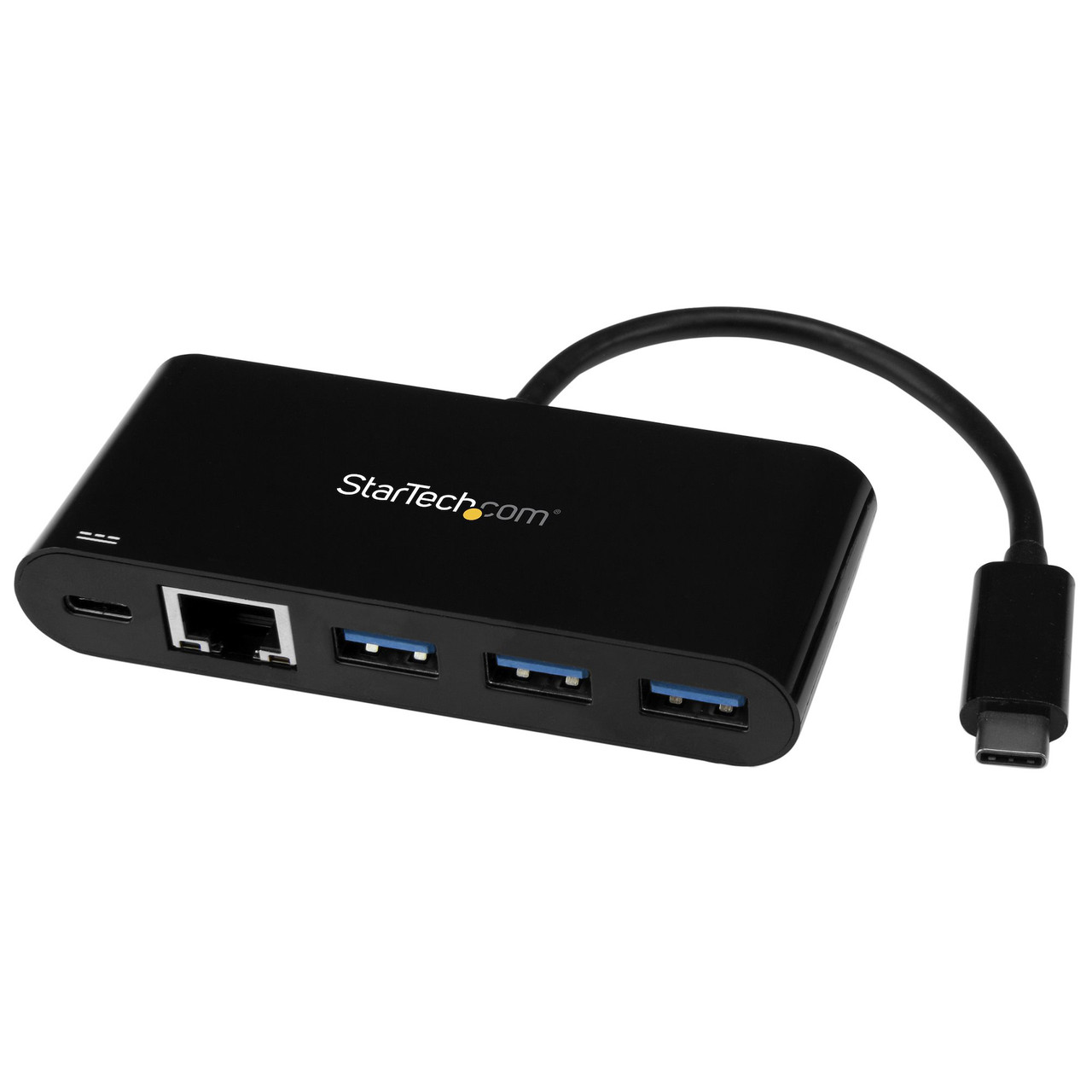
Connect to a GbE network plus add three USB Type-A ports and PD Charging through your laptop's USB-C portAdd powerful connectivity to your USB-C enabled laptop, tablet or desktop computer. Ideal for mobile use, this USB-C to Ethernet adapter plugs into your USB-C or Thunderbolt 3 port to provide wired network access, and gives you three USB 3.0 Type-A ports to connect your peripheral devices. Plus you can charge your laptop as you work. It makes a great companion for your MacBook, Chromebook Pixel, Dell XPS 12, or other device.
Access reliable Gigabit network connections
Gain a wired internet connection virtually anywhere you go. The USB-C network adapter provides an Ethernet port that supports full Gigabit bandwidth by harnessing the performance of USB 3.0 (5 Gbps), also known as USB 3.1 Gen 1. You can connect to a network in locations where Wi-Fi is unavailable or unreliable, and quickly access large files over the network at Gigabit speed.
Enhance productivity with a 3-port USB hub
Some USB Type-C laptops, tablets and computers have only one port for external connectivity, which limits the number of peripheral devices you can use. This USB-C Ethernet adapter features a built-in hub with three USB Type-A ports, giving you the freedom to attach additional devices, such as a USB mouse or flash drive. You can expand the number of USB ports you have to enhance your productivity.
Gain easy portability
Travel-sized and self-powered, this USB-C network adapter and hub provides easy portability, tucking easily into your laptop bag and eliminating the need to carry a separate Gigabit Ethernet adapter and USB-C to USB-A hub. It's ideal for mobile use, providing you with wired network connectivity wherever you go, and letting you plug in extra USB peripheral devices. It also has a built-in USB-Type-C cable so it's always there when you need it.
Power and charge as you work
The USB-C network adapter lets you power and charge your laptop as you work, while powering the hub at the same time. The adapter supports Power Delivery 2.0, so instead of carrying multiple power adapters, you can use your laptop's USB-C power adapter to power both your laptop and network adapter. Note: just make sure your laptop's USB-C based power adapter supports USB Power Delivery 2.0.
Install it with ease
Get up and running quickly. Simply plug the adapter into the USB Type-C port on your laptop and connect to your network. It automatically installs once you connect it, and works with a wide range of operating systems such as Windows, macOS, Linux and Chrome OS.
Enhance Productivity and Device Management with the StarTech Connectivity Tools Application
Developed to improve performance and security, StarTech Connectivity Tools is the only software suite on the market that works with a wide range of IT connectivity accessories. The software suite includes:
• MAC Address Pass-Through Utility : To improve network security.
• Wi-Fi Auto Switch Utility : Enabling users to quickly access faster network speeds via wired LAN.
Visit www.StarTech.com/Connectivity-Tools for more information and to download the StarTech Connectivity Tools.
Warranty Information
30 Days WarrantyProduct Videos
Custom Field
Product Reviews

- Product images are for illustrative purposes only and the final product delivered may vary from the one shown above.
- In some cases, a product sold may arrive in different packaging than its original retail box. For bulk orders that are packaged together, product manuals or CDs may not always be available for each item.
- At checkout, the shipping cost is a general estimate which is subject to change depending on size/weight/quantity of ordered goods.
- Orders that contain end of life (EOL) products that are no longer in production may be replaced by a compatible product with the same FRU number offering same functionality.
- Refurbished printers may not have full ink cartridges or laser toners.
- Once an order is processed at our warehouse, it cannot be cancelled. A returned order will likely incur a restocking fee. See RMA page for details about restocking fees.
- Please note if you are concerned about any of the above conditions or have any question at all, we highly recommend that you contact us on sales@ithardwarediscounts.com or call 850-786-3447 before placing an order.